AI writes it,you approve it,Mago updates.
myms.cowork generates MyMago Studio customizations starting from a request in plain language, and carries them all the way to the client’s server: Mago package, microservice, plugin host, MCP endpoint for AI assistants.


«maintenance management with plants, work orders and reports»
- A Design it in myms.cowork ↳ model
- GATEYou approve the review
- GATEYou confirm the publish
- B Publish to your Mago ↳ package
- C Generate the Windows bundle ↳ bundle
- CLIENT'S SIDE
- GATEYou confirm the server setup
- D–F MMS-Host, plugin, AI assistant ↳ MCP endpoint
A hand-built Mago customization always breaks in the same places.
Every client realigned by hand
The same customization installed at different clients drifts apart, and catching it back up is manual work.
Installations nobody can list
Which version is running, at whom, since when: the information lives in the memory of whoever installed it.
Errors found on the live environment
Owner, enumerations, schema: mistakes surface once the package has already been imported.
Five steps, from the request to delivery.
Write the request in plain language, or talk it through with Claude.
The built-in mymagostudio skill guides the generation. The owner is reserved by the environment's Owner Manager; enumerations are checked against the environment as you model.
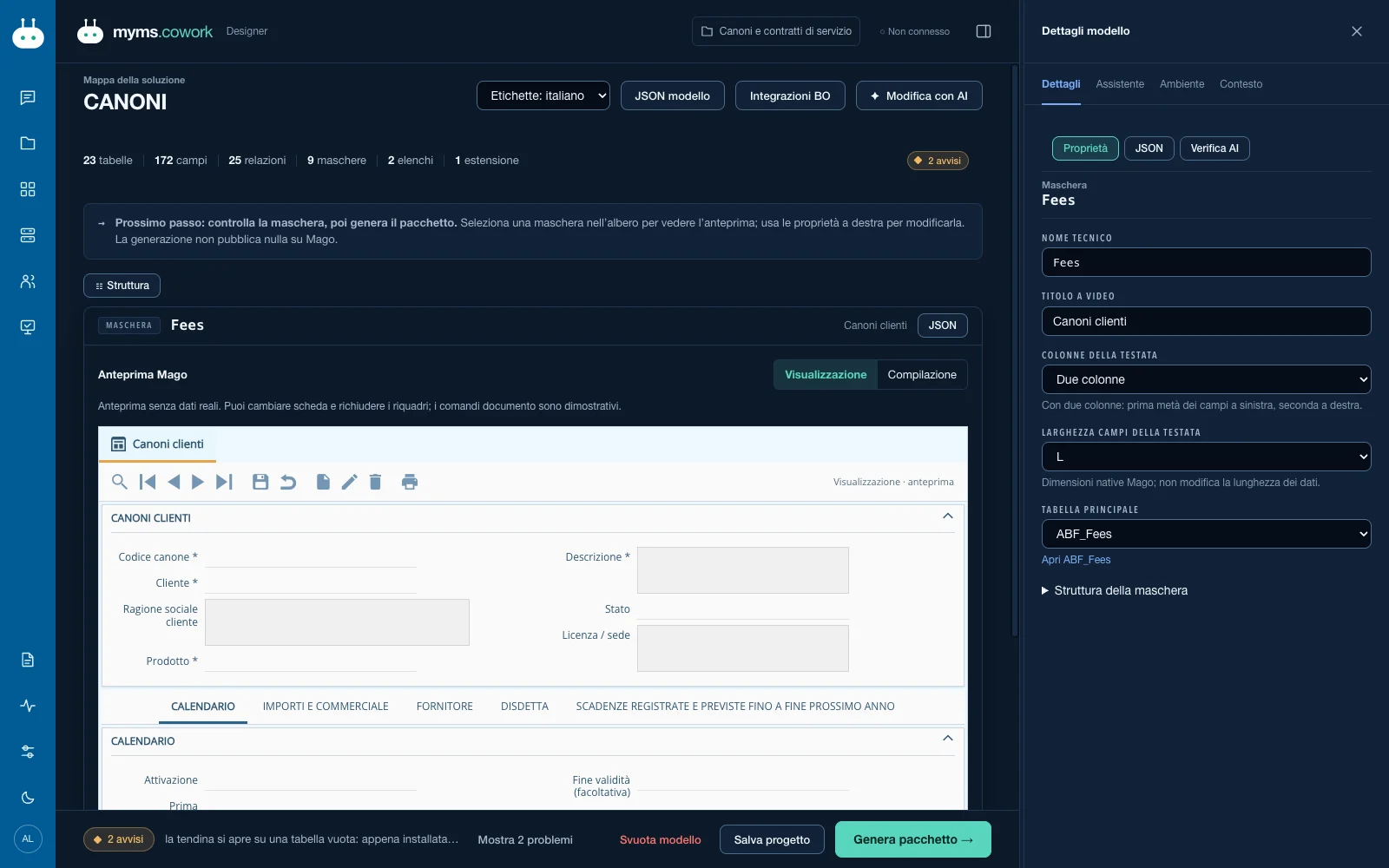
A tree designer, with the assistant right beside it.
Solution identity at the root; master and detail tables, fields, hotlinks to Mago master data, enumerations, documents, batches, extensions of standard documents. The docked assistant answers with the project's context.
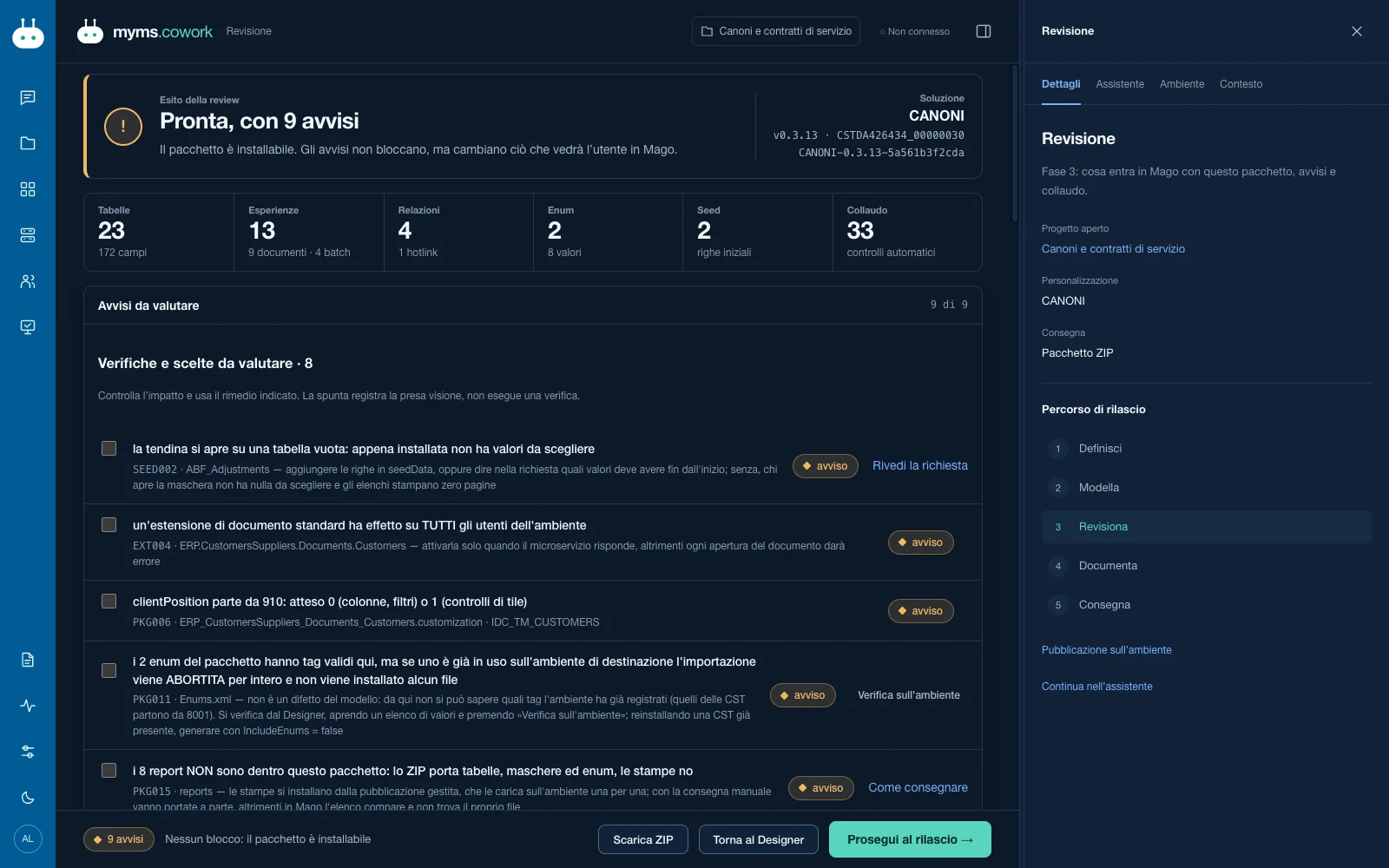
Rules born from real mistakes, before the environment.
Automatic validation, comparison against the already-installed package, additive DDL plan shown before it runs. An error blocks the publish.
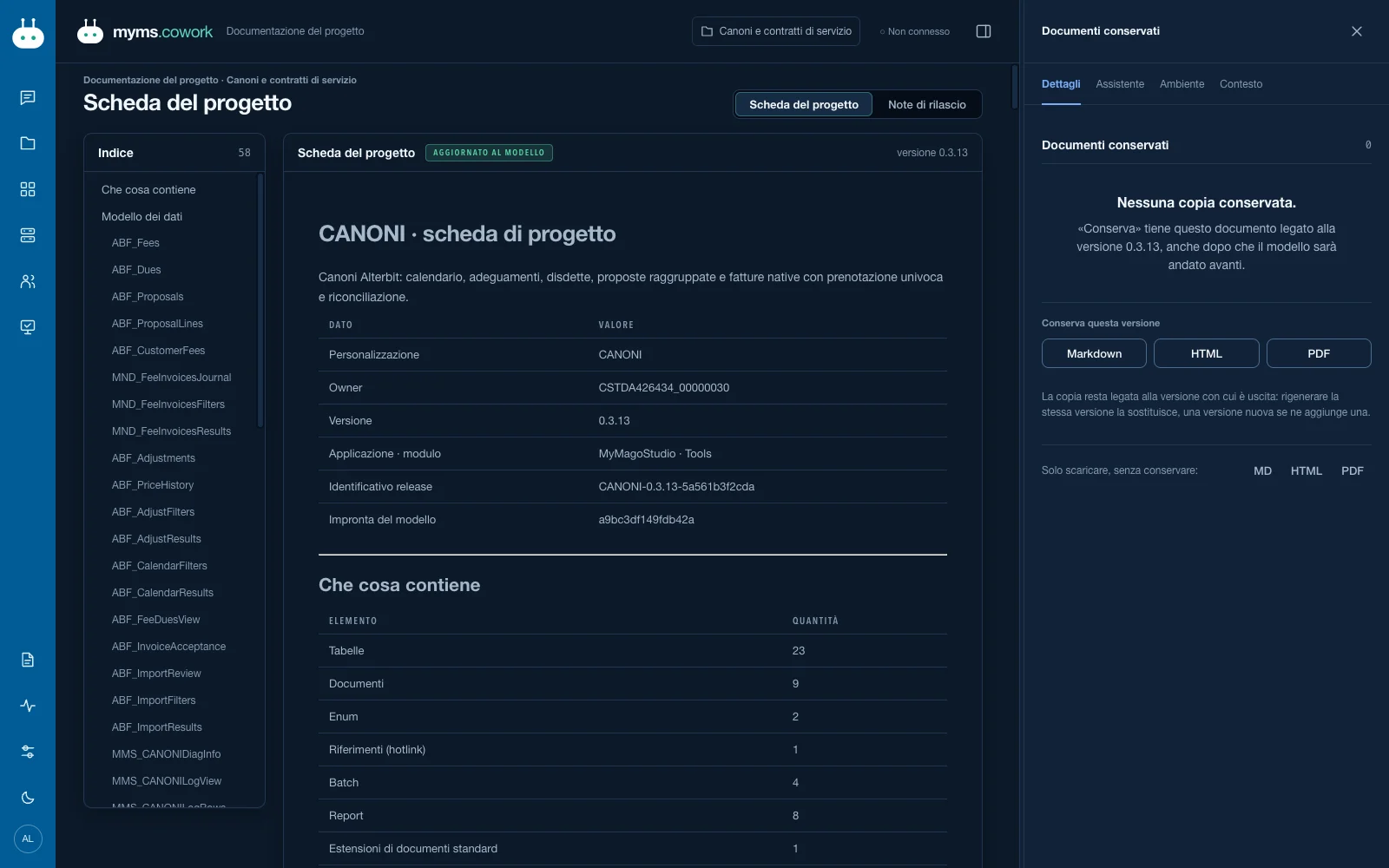
Project sheet and diff, always downloadable.
Project sheet and semantic diff in Markdown, HTML and PDF, kept with the project.
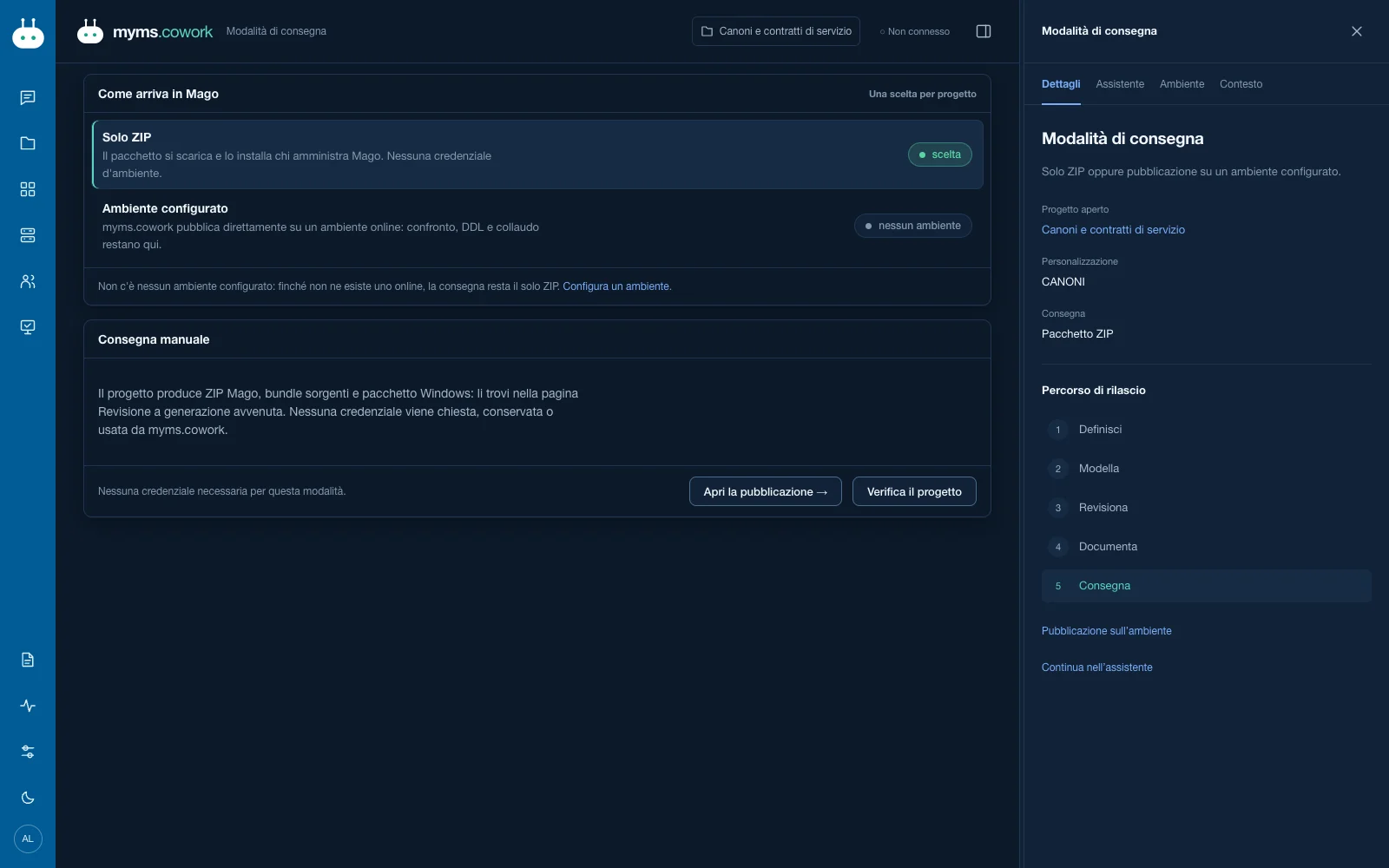
Choose where it ends up.
To Git, with a guided commit, tag and push. Or to the partner's Mago environment, with a read-only preflight and then publishing.
It's not the AI that writes the code and installs it. It's a person who sees and decides.
Before anything touches an environment there are three explicit confirmations. Everything else is automatic.
- GATE 1
You approve the review
You see the diff against the installed package and the additive DDL plan before it runs.
- GATE 2
You confirm the publish
After a read-only preflight. Even from the Claude app, with a confirmation screen: the model alone cannot publish.
- GATE 3
You confirm the server setup
One question at a time, then a summary. Nothing gets installed before your yes.
One host per machine, one plugin per customization.
A Windows bundle ships together with the Mago package. On the client's server, setup.ps1 installs MMS-Host as the single Windows service and the microservice as its plugin.
MagoWeb / MagoCloud
With SQL Server. Calls the plugin at /<prefix>/…
MMS-Host
one portOne process per plugin, probed every 30 seconds, restart with growing backoff, Failed status after five drops, log per plugin.
AI assistant
Claude Code, Claude Desktop or Codex, over an internal channel: loopback, LAN, tailnet.
/<cst>-<owner>-service/mcpInstall and update, the same ritual
- staging
- test on a test port
- health
- swap
- start
- health
If a check fails, MMS-Host restores the previous version. From N to N+1 without leaving the client down.
Two MCP levels: one to design, one to query.
Design and publish from chat
myms.cowork has an MCP server, stdio and HTTP with a key: you work from Claude Code, Claude Desktop and the Claude app. Publishing always asks for your confirmation.
Query the installed customization
Every generated microservice exposes its own MCP endpoint. Tools aren't hand-written: the generator derives them from the model. Read-only by default, at most 500 rows per call.
{
  "mcpServers": {
    "manut": {
      "type": "http",
      "url": "http://<server>:<porta>/<cst>-<owner>-service/mcp",
      "headers": { "Authorization": "Bearer mms_…" }
    }
  }
}- <cst>_<tabella>_list
- <cst>_<handler>_query
- <cst>_<handler>_validate
- <cst>_release_manifest
Real example: the MANUT customization exposes four tools, including manut_mancustomerplants_list. Every call shows up in Mago's service registry.
Who can do what, and where it leaves a trace.
-
Environment profiles
Read-only or read-write, per environment.
-
Keys with a fingerprint
The key is shown once; only its fingerprint stays on disk.
-
Activity log
In myms.cowork and, for the client's MCP, in Mago's service registry.
-
Roles
Who designs, who approves, who delivers.
-
Local and Entra access
Local accounts alongside sign-in with Microsoft Entra.
Files you can open, read and keep.
The bundle ships together with the package. Name and owner travel inside the package: the same package goes to different clients.

myms.cowork is part of alterBIT's .cowork family, alongside mago.cowork.
Let's look at one of your customizations, from the request to the server.
A demo on your case, with an alterBIT technician.
Request a demo